You can view detailed forecast on routes for a future period of time using the Manifest forecast tool.
- From the home page, choose Deliveries
- Choose the Manifest (Routes) tab
- Click Forecast, the forecast tool window is shown
- Select a suitable Start Date
- Pick the number of Weeks from the start date you would like to forecast for
- Click Start
- It will take a few seconds to produce the results, an example is shown below
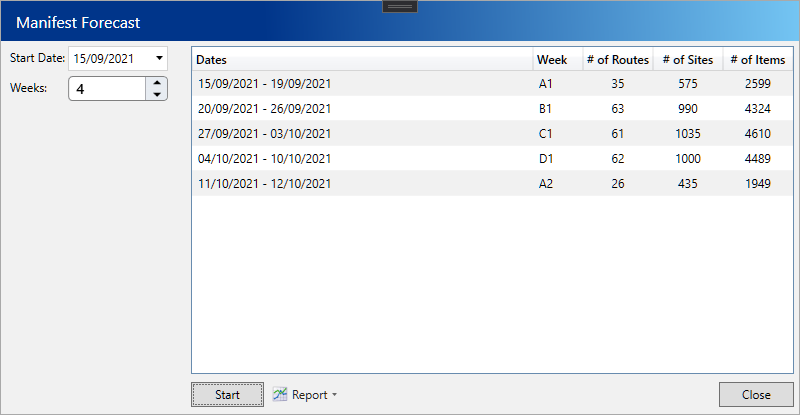
- The number of routes, sites and items for each week are shown
- To view further details use the various report options
Report Description View Week Totals Grouped by each week and shown in item order, gives the item details and the total of each required for the week View Week Totals - By Route Grouped by each route and then by each week in item order. Shows the item details and the total of each required for the route View Route Totals Grouped by route and then each day. Shows the items details and the total of each required for each day