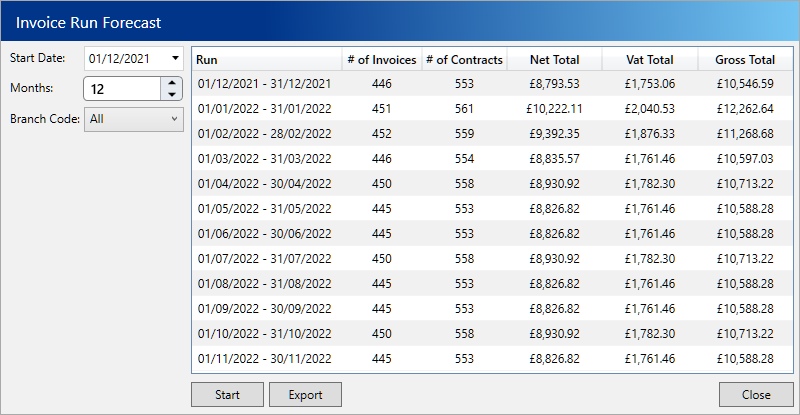
By using the forecast wizard you can project the future value of your invoices for a given period. For example you might like to know the total monthly value of all invoices for the next 12 months.
Forecast an invoice run
- From the home page, choose Invoices
- Click the Invoice Run tab
- Click the Forecast button
- Select a start date and the number of months you want to forecast for
- Click the Start button
- After a few moments you will see each month appearing and the values against each
- To export the result, click the Export button