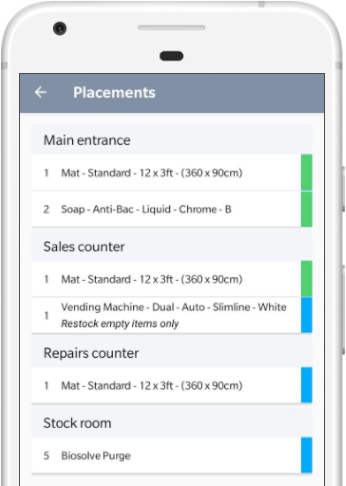
Service Manager mobile uses a coloured system to quickly indicate the current status of an item.
The screen shot below shows some items have been completed (green) and other items waiting to be completed (blue).
| Colour | Description |
| Blue | Blue is the default colour and signals that an item hasn't been actioned yet. |
| Green | The item has been completed successfully. |
| Red | The item has some an issue, upon rotating to red the issue details screen will be shown. |
Only when all items are either Green or Red, can capture a signature.